Home/Intelligence/AI analytics
All solutions
AI analytics
Ask a business question. Get a chart or table, follow up, and keep the useful result as a dashboard.
Give your team answers without waiting for a new report. People can check the results, ask follow-up questions, and understand the business better. Analysts have more time for complex work.
Intelligence
Get the answer while it still matters
A routine question can sit behind larger projects in an analyst's queue. By the time the report arrives, the meeting has passed or the decision has already been made.
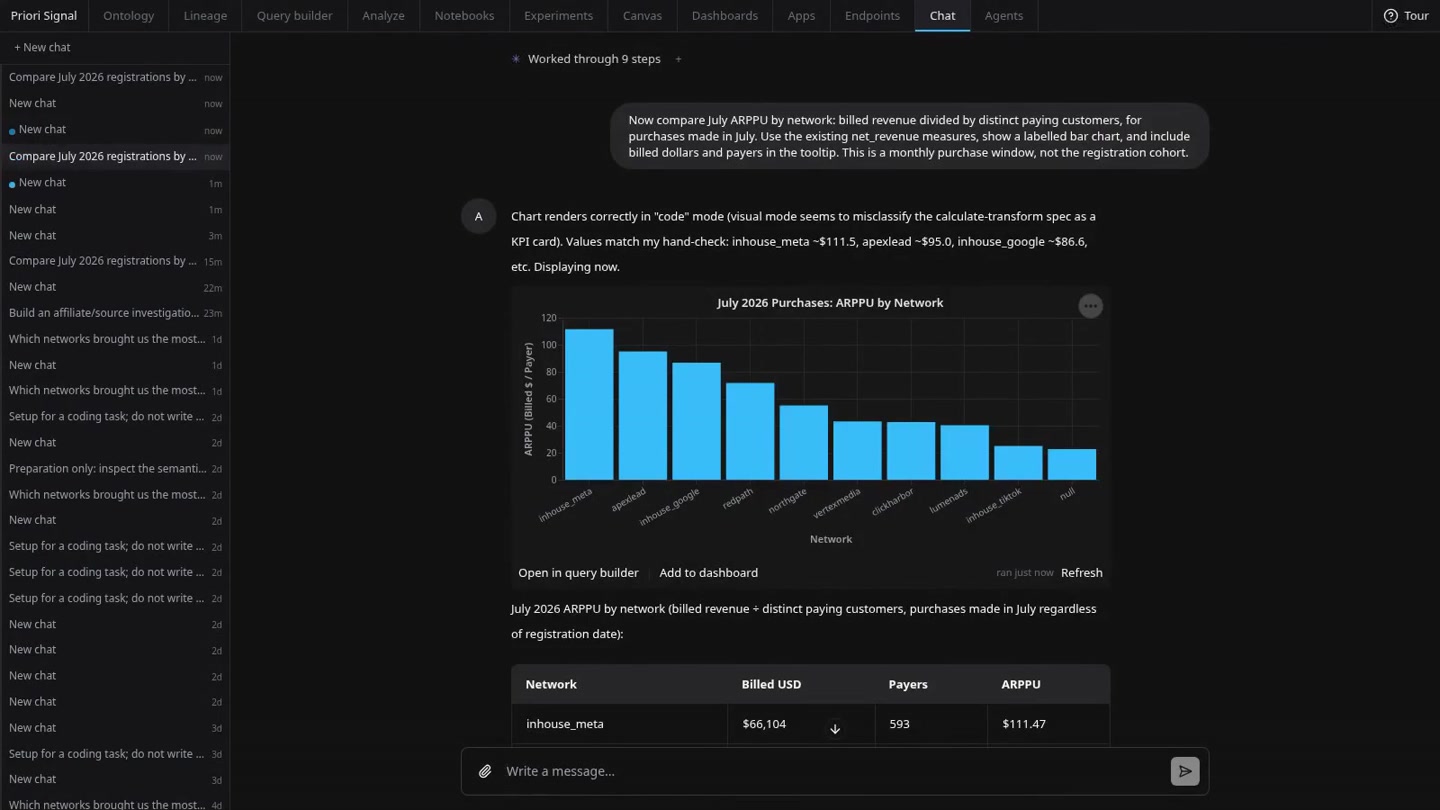
Signal lets a teammate ask that question directly. It builds and runs the query, then returns a chart or table that can be checked before the team acts.
Ask, then follow the answer
Start with the question you have now. For example, ask which acquisition sources bring customers who buy. Then ask how much each paying customer spends, or request the counts behind the comparison. The next question keeps the context of the conversation.
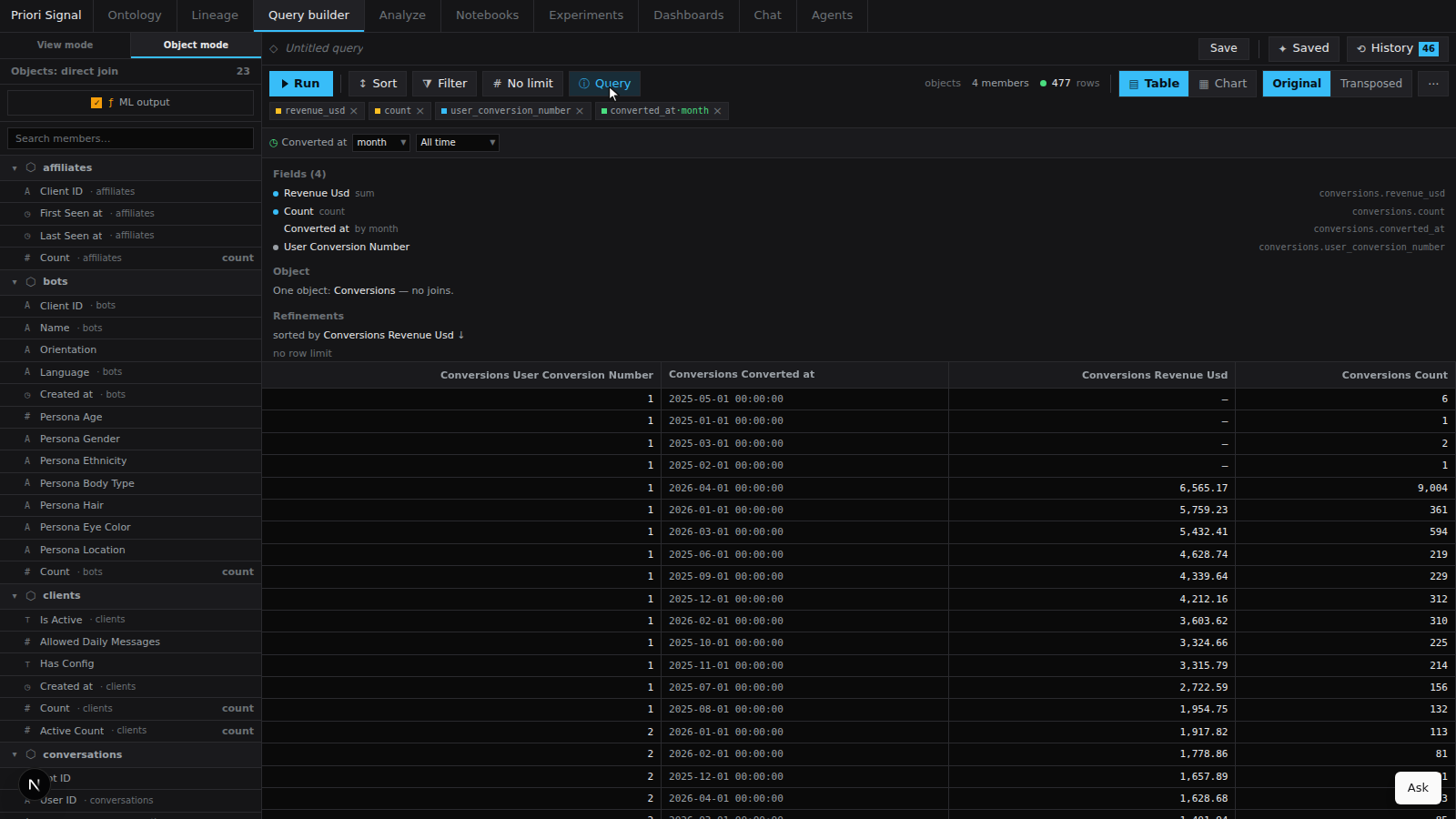
Open the answer in the query builder to see the selected fields and filters. Change the view or continue with another question.
Turn a useful answer into a shared view
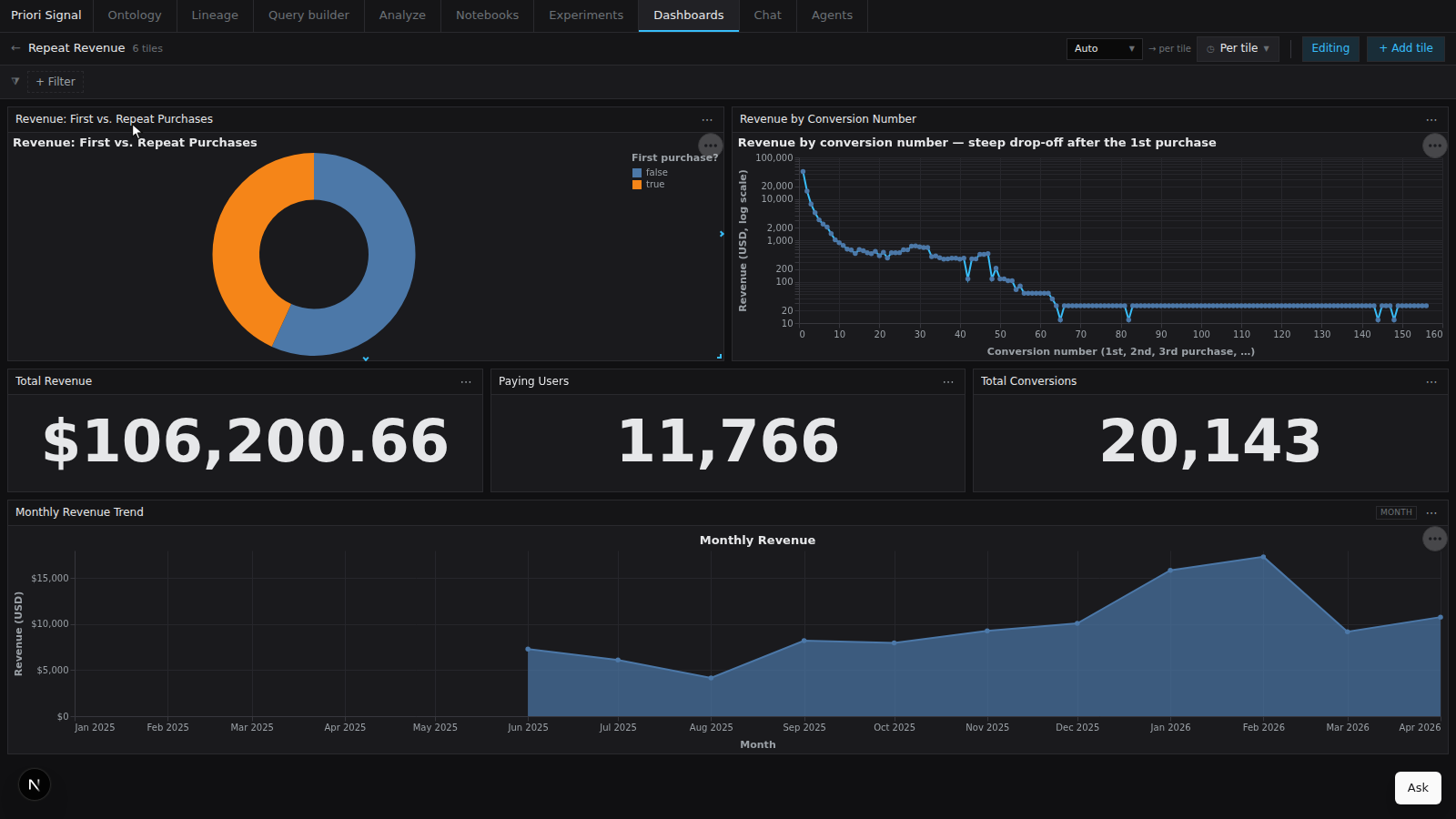
When several answers belong together, ask Signal to make a dashboard. The charts and tables become a reusable view with shared filters, ready for the next review.
A dashboard is useful once the team knows what it wants to monitor. When each answer changes the next question, continue the investigation in the BI canvas. For a regular workflow with its own controls, build a custom app.
The data model gives the AI context
The language model handles the question. Signal's shared data model supplies the relationships, fields, and agreed calculations it should use. That reduces ambiguity and makes repeated answers more consistent.
The answer stays open to review: inspect the result and the query behind it. If a relationship or calculation needs to change, update the shared data model so later questions use the revised version. AI answers still need checking before important decisions.
More people can work with the evidence
- Routine answers arrive sooner. Teams can ask and follow up while the decision is still open.
- The reasoning is easier to share. Charts, tables, queries, and dashboards give colleagues something concrete to review together.
- Analysts have more time for harder work. They can focus on difficult investigations, measurement quality, and experiments instead of rebuilding each routine report.